Our story
NETWORK NET began in Delhi in 2005 with a simple idea: computer skills should be taught the way they are actually used at work, on a real computer, with a trainer who has done the job, and at a pace that suits the learner. In those early years most of our students came to learn the basics of using a computer, typing letters in MS Word, preparing sheets in Excel and getting comfortable with the internet.
As offices, shops and businesses around us went digital, the questions our students brought to class changed too. Accounts staff needed Tally and GST. Young people wanted to build websites, design posters and logos, or run social media campaigns. Employers asked for people who could handle Advanced Excel and MIS reports. We grew our course list to answer these needs, and today NETWORK NET is a multi-disciplinary computer training institute offering courses in office skills, accounting, design, web development and digital marketing.
Over time we also started providing training delivery solutions to corporations, institutions and individuals. Alongside our regular batches for students, we now train teams from companies and organisations who want their staff to work faster and more confidently on computers. Through all of this, the core of our work has stayed the same: practical, hands-on teaching for anyone in Delhi who wants to learn.
Our mission and vision
Our mission is to give every learner, whatever their age, background or starting level, practical computer skills they can use straight away in study, work or business. We want students to leave a class able to do something they could not do before, not just remember a few definitions.
Our vision is to be a trusted local institute where students, parents and employers in Delhi can turn for honest course advice and job-ready computer training, and where learning continues to keep pace with the tools that offices and businesses actually use.
What makes our training different
There are many places to learn computers in Delhi. Here is what we focus on, and what you can expect when you join us.
- Small batches: we keep batches small so the trainer can see each student’s screen, answer questions and correct mistakes during the class rather than at the end.
- Many shifts: morning, afternoon, evening and weekend batches make it easier for school and college students, working people and homemakers to fit a course into their routine.
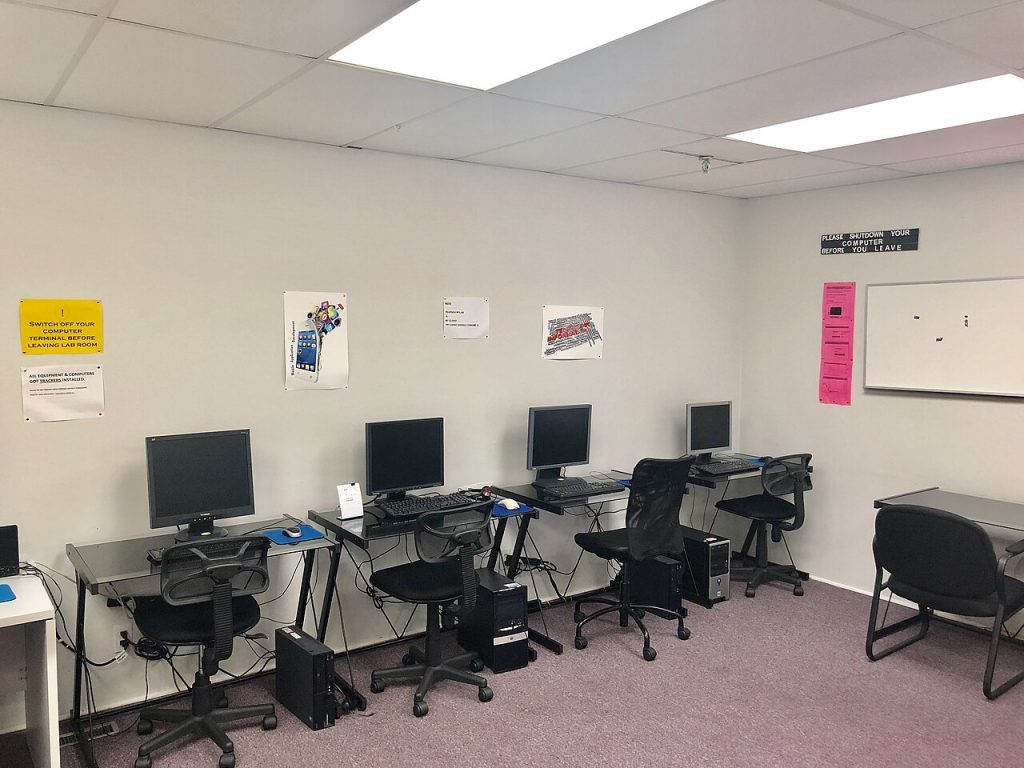
- Practical labs: every class happens on a computer. You learn a feature, then you use it yourself on practice files that look like real office, design or marketing work.
- Professional corporate trainers: our trainers bring industry experience into the classroom, so lessons include the shortcuts, formats and habits that matter in a real job.
- Updated syllabus: software and online platforms change often. We review our course content regularly so that what you learn matches current versions and current workplace practice.
- Regular exams: short tests and practical assessments during the course help you and your trainer see what you have understood and what needs more practice.
Our teaching method
Whether you are learning Excel formulas, Tally vouchers, Photoshop tools or HTML tags, every topic follows the same five-step pattern in class:
- Concept: the trainer explains what the topic is and where it is used at work, in simple language.
- Demonstration: the trainer shows the steps live on screen, using a realistic example.
- Guided practice: you repeat the steps on your own computer while the trainer checks your work and helps where you get stuck.
- Assignment: you complete a task on your own, such as a report, a design, a set of entries or a web page, to build confidence and speed.
- Test or project: at the end of each module you take a short test or complete a project that brings the topics together.
This approach takes a little more effort than just watching, but it is how skills stick. By the end of a course you have practised every major topic yourself, not just seen it once.
Who we train
Our classrooms bring together people with very different goals. We regularly teach:
- School leavers who want useful computer skills after 10th or 12th, before or alongside college.
- Graduates preparing for office, accounts, design or digital marketing jobs.
- Working professionals who want to upgrade their skills, for example with Advanced Excel or Tally with GST, or switch to a new field.
- Homemakers returning to work or learning to manage household accounts, online services and communication with confidence.
- Senior citizens who want to use computers, email, video calls and online banking safely, at a comfortable pace.
- Business owners who want to manage their own accounts, design simple marketing material or promote their business online.
- Corporate teams trained through our corporate training programmes.
Courses at a glance
Here is a quick guide to our main courses. You can compare them in detail on our courses page.
| Course | Best for |
|---|---|
| Basic Computer | Beginners who want everyday skills in MS Word, Excel, PowerPoint and Access. |
| CCC (NIELIT) | Learners preparing for the NIELIT Course on Computer Concepts exam, which some government job notices ask for. |
| ADCA | Students who want a broad diploma covering office, accounting, design and programming basics. |
| Tally with GST | Commerce students and accounts staff aiming for accounting and billing roles. |
| Graphic Designing | Creative learners who want to design with Photoshop, Illustrator, CorelDRAW and InDesign. |
| Web Designing & Development | Anyone who wants to build websites with HTML, CSS, JavaScript, PHP and MySQL. |
| Digital Marketing | Students, job seekers and business owners who want to grow brands online with SEO, social media and ads. |
Not sure where to start? Our guide on how to choose the right computer course after 12th walks you through the options.
Our values
- Honesty: we give straight advice about which course suits you, what it involves and what it can realistically lead to. We offer career support and placement assistance where available, but we never promise jobs.
- Practice over theory: we believe you learn a computer skill by doing it, so practice time comes first in every class.
- Respect for every learner: no question is too basic. Beginners, seniors and experienced professionals are all treated with the same patience.
- Keeping up to date: we keep reviewing our syllabus and teaching material as tools and workplace needs change.
- Accountability: regular assessments, clear communication with students and parents, and a willingness to listen to feedback.
Come and see for yourself. Visit us for free counselling and a demo class, or call +91 93500 90607. You can also send us an enquiry or read about the admission process to get started.