
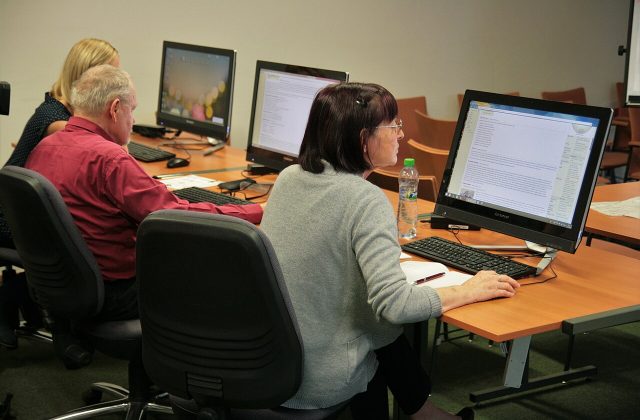
About the Basic Computer course
Almost every job today expects you to type a letter, prepare a simple spreadsheet, make a presentation and work with files without help. The Basic Computer course at NETWORK NET teaches these everyday skills properly, using Microsoft Office, the software found in most offices. The course runs for about three months and is designed for complete beginners, so you can start even if you have hardly used a computer before.
The course is built around four Microsoft programs. In Word you learn formatting, tables, headers and footers, pictures and SmartArt, table of contents, mail merge, and protecting and comparing documents. In PowerPoint you create presentations with themes, layouts, charts, video and sound, master slides and slide shows. Excel takes you from cells, rows and columns to data validation, conditional formatting, lookup and reference functions, date, text, logical and financial functions, Goal Seek, pivot tables and charts. Finally, Access introduces databases: designing tables, forms, queries and reports.
This is not just a “how to switch on a computer” course. By the end you will be able to do real office work quickly and correctly. For an overview of which skills employers expect, read our article on basic computer skills for jobs.
Who should join
- Complete beginners who want to learn computers from the start
- Students after 10th or 12th who need computer skills for further studies or jobs
- Job seekers applying for office, front desk, data entry or back-office roles
- Working people who use computers but want to be faster and more confident
- Homemakers and senior learners who want to use computers for personal or small business work
- Students preparing for the CCC exam who want stronger MS Office practice
What you will be able to do after the course
- Type and format letters, applications, resumes and reports in Word
- Use mail merge to send the same letter to many people with their own names and details
- Add tables, pictures, page numbers and a table of contents to long documents
- Create clear presentations with charts, pictures and slide transitions in PowerPoint
- Enter and format data in Excel and use formulas such as SUM, IF and lookup functions
- Use conditional formatting, data validation and pivot tables to make reports
- Build a simple Access database with forms, queries and reports
- Print, save, share and protect files correctly
Tools and software you will use
- Microsoft Windows for managing files and folders
- Microsoft Word for documents and letters
- Microsoft PowerPoint for presentations
- Microsoft Excel for data, formulas and reports
- Microsoft Access for databases
- Printer and PDF tools for printing and exporting work
The skills carry over to similar programs such as Google Docs, Google Sheets and LibreOffice, so you will be comfortable even if your future office uses a different package.
How the training works
- Practical classes: each lesson is demonstrated and then practised on the computer straight away.
- Small batches: a low number of students, so beginners get patient, individual help.
- Flexible shifts: morning, afternoon, evening and weekend batches.
- Assignments: letters, resumes, presentations, marksheets, attendance and expense sheets, and simple databases.
- Module tests: a short practical test after each program to check your progress.
- Final project: a set of office tasks that uses Word, Excel, PowerPoint and Access together.
- Doubt-clearing: trainers go over anything you found difficult, at your pace.
Trainers also explain the everyday basics that beginners often miss, such as keyboard shortcuts, saving files in the right folder, naming files clearly, attaching documents to email and converting a file to PDF before sending it.
Tip: Practise typing for a few minutes every day during the course. Better typing speed makes every other computer task faster.
Career options
| Role | What you do | Skills from this course |
|---|---|---|
| Computer Operator | Prepare documents, maintain records and handle routine computer work | Word, Excel, file management |
| Data Entry Operator | Enter and check data accurately in spreadsheets or databases | Excel, Access, data validation |
| Office Assistant | Support daily office work with letters, files and printing | Word, PowerPoint, printing and sharing |
| Front Desk / Receptionist | Manage visitor records, appointments and correspondence | Word, Excel, mail merge |
| Back-office Executive | Prepare reports and maintain data for other teams | Excel formulas, pivot tables, Access reports |
Basic computer skills are also the first step towards bigger courses. Many students move on to Tally with GST for accounts jobs, the CCC course for the NIELIT certificate, or Advanced Excel skills.
Why learn basic computer at NETWORK NET
- Computer training institute in Delhi since 2005, with professional trainers
- A beginner-friendly course that still goes deep into Word, Excel, PowerPoint and Access
- Practical, job-style assignments instead of theory alone
- Small batches where beginners can ask questions without hesitation
- Morning, afternoon, evening and weekend shifts
- NETWORK NET course certificate after completing the course assessments
Start learning computers today
Want to know the next batch or the fee? Contact us about the Basic Computer course, or visit the admissions page to see how to join.